Manual install · under 2 minutes
How to Install WA WorkFlow Manually
Our extension is temporarily not available on the Chrome Web Store. Don't worry - you can install it manually in just a few simple steps. It works exactly the same.
Download the Extension
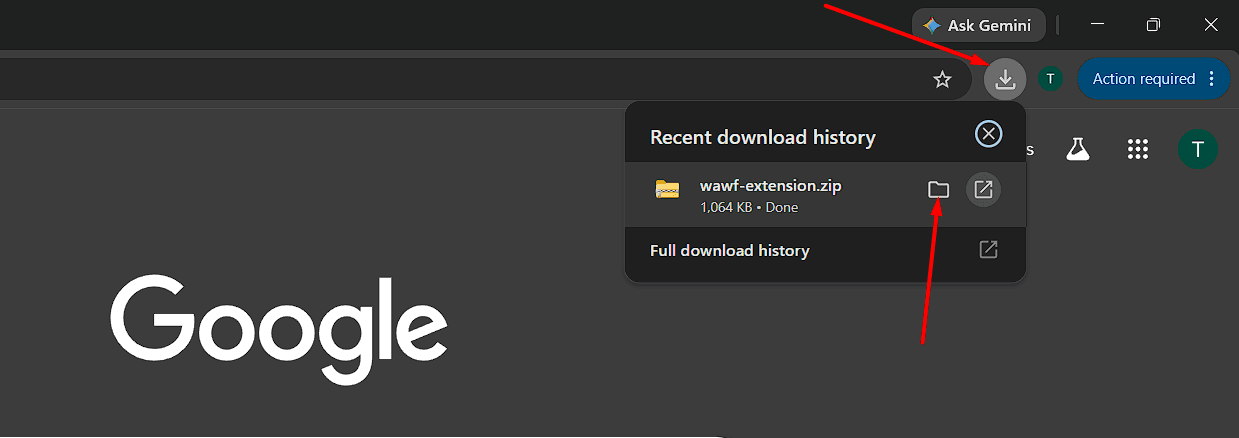
Click the Download Extension button above (or the download link provided to you). The extension wawf-extension.zip file will start downloading automatically and be saved to your Downloads folder.
Extract the ZIP Folder
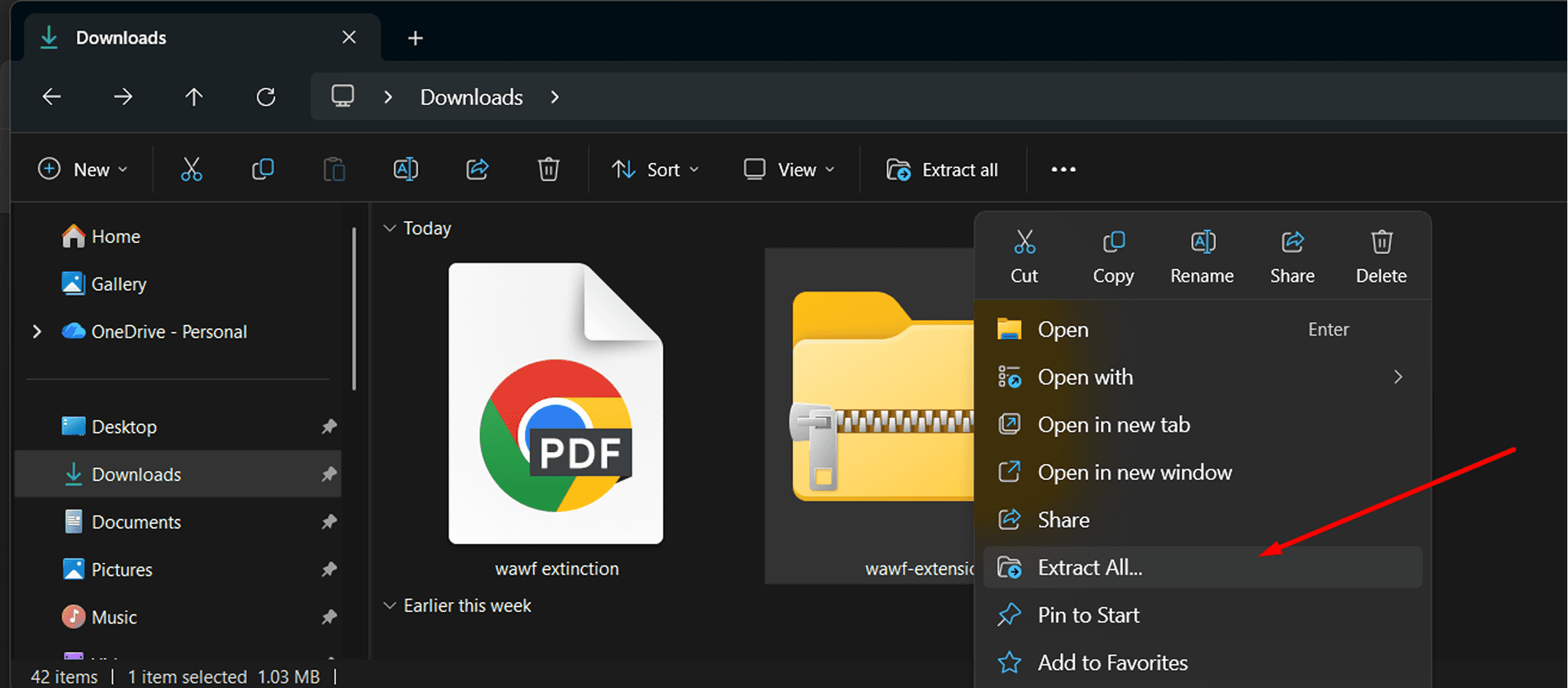
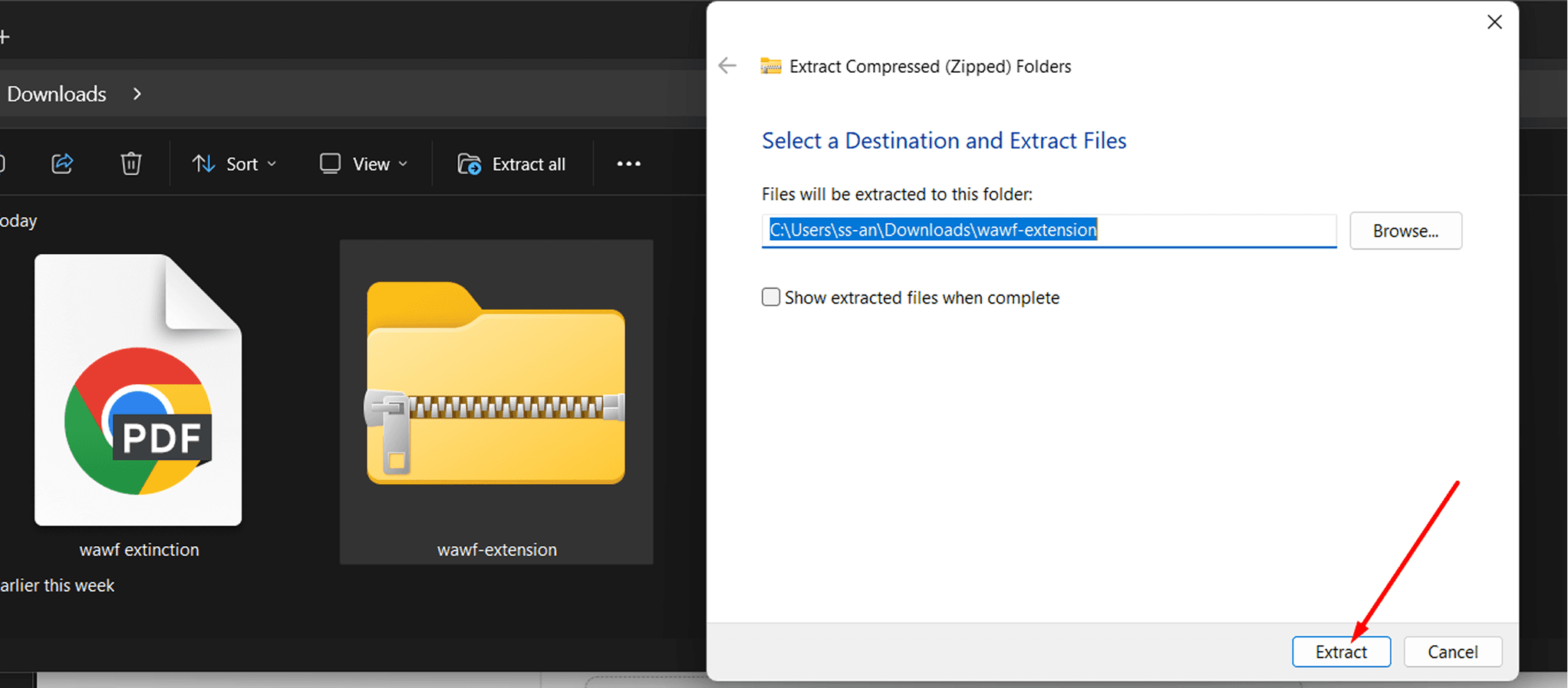
Open your Downloads folder, right-click the wawf-extension.zip file, and choose Extract Here or Extract All. A normal folder will be created.
Open Chrome Extensions Page
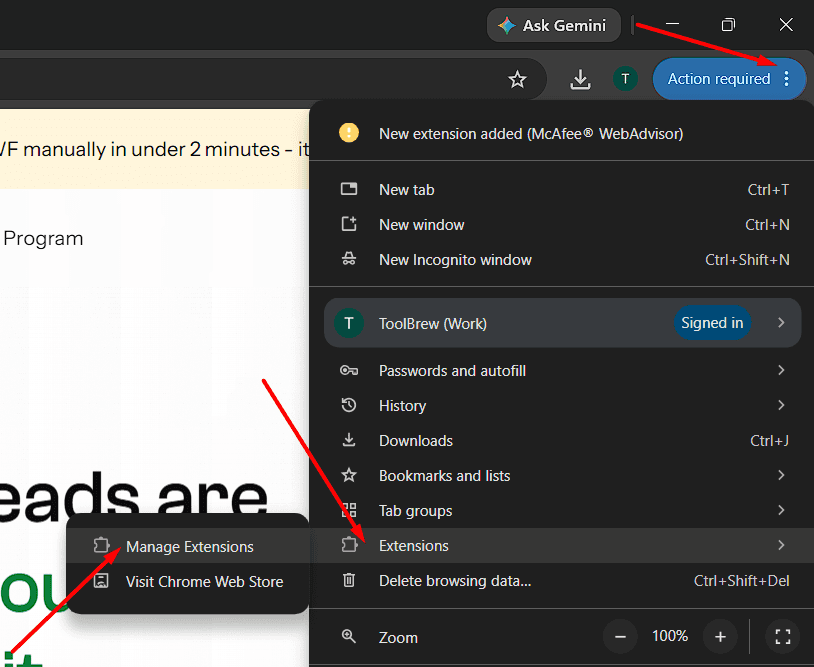
Open Google Chrome, click the three-dot menu (⋮) at the top-right, then go to Extensions → Manage Extensions. Or type chrome://extensions in the address bar and press Enter.
Turn On Developer Mode
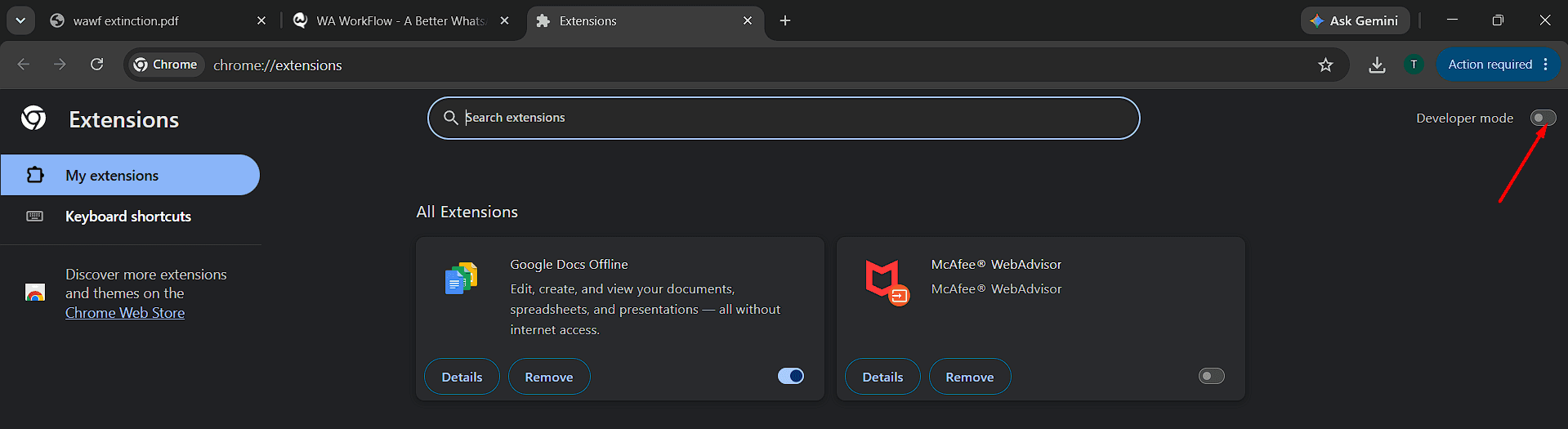
On the Extensions page, turn ON the Developer mode toggle in the top-right corner.
Load the Extension Folder
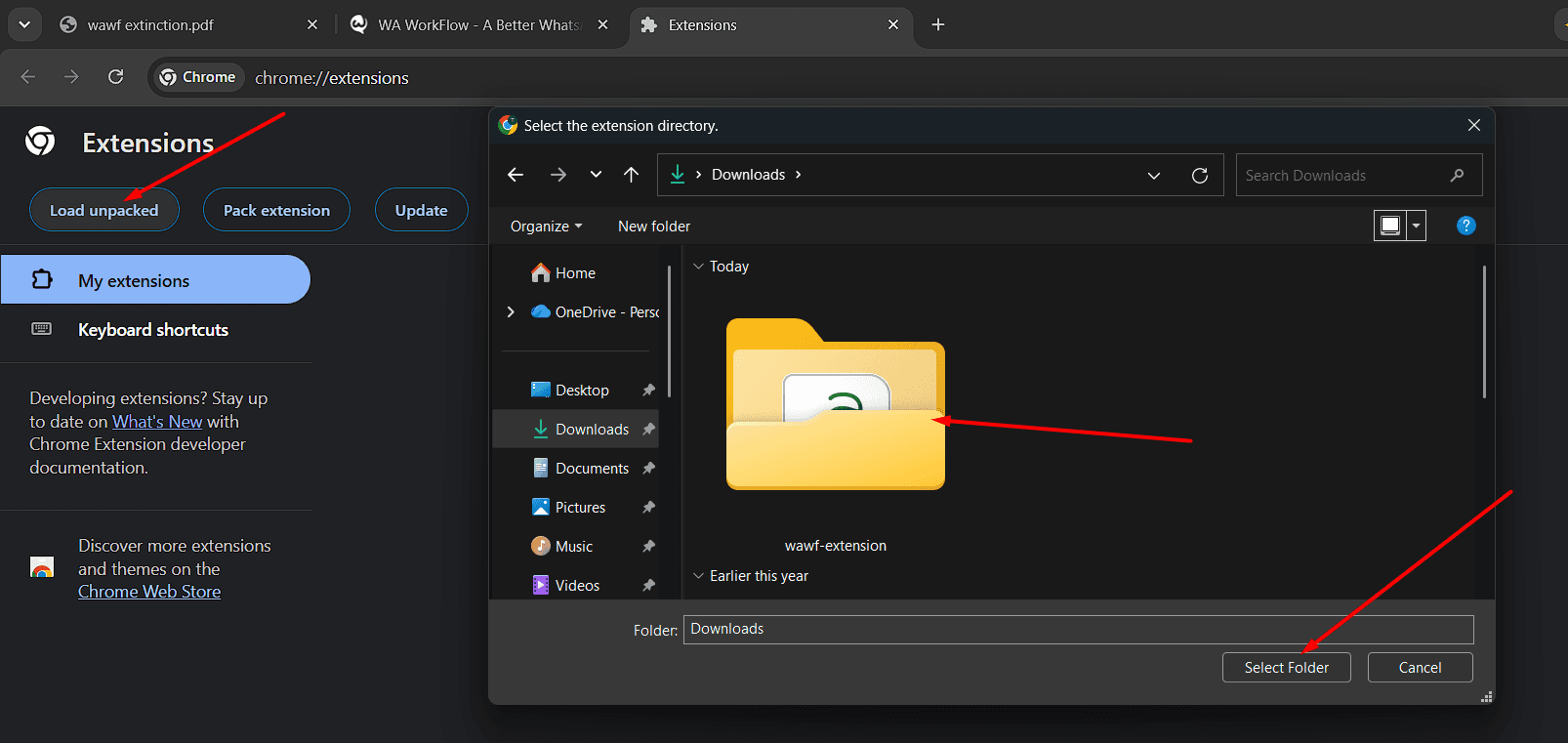
Three new buttons will appear: Load unpacked, Pack extension, and Update. Click Load unpacked, select the extracted folder from Step 2 (the folder itself, not a file inside it), and click Select Folder.
Pin & Start Using WAWF
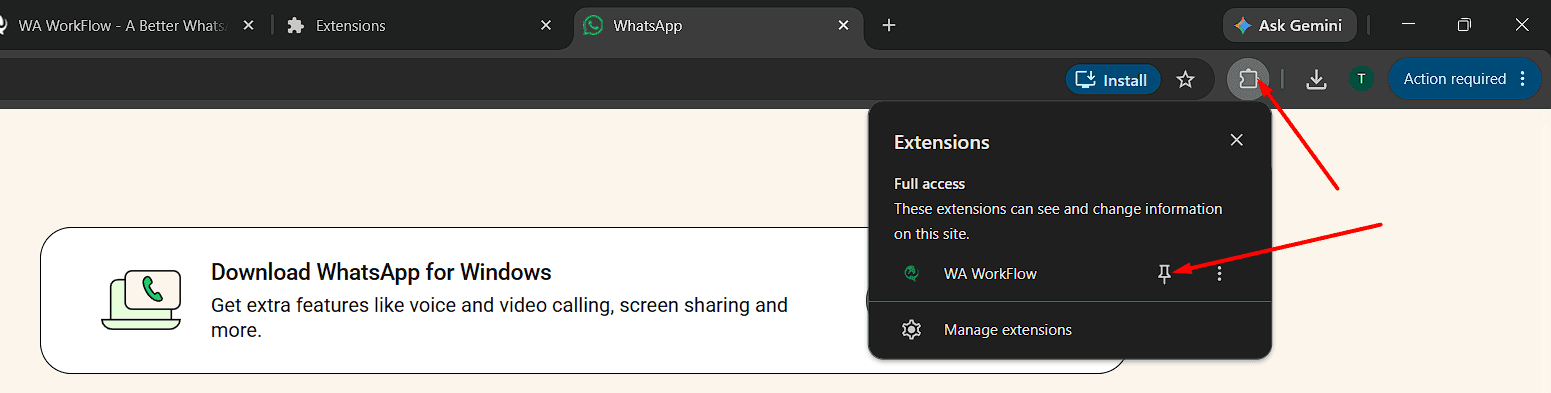
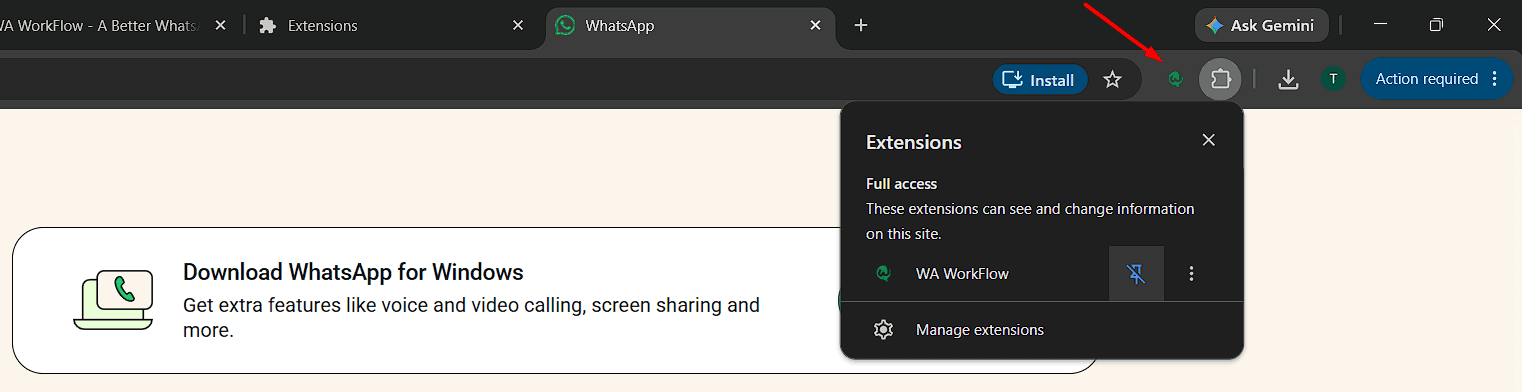
Click the puzzle piece icon 🧩 near the address bar, find WA WorkFlow, and click the pin 📌. Open it and use the same login & license key provided to you earlier.
What WAWF gives you
Every tool your business needs - inside WhatsApp Web.
No new apps to learn. No migration. Install in 2 minutes and go.
Remove conflicting extensions
If WAWF is already installed, disable the older version before installing the new one. Running multiple WAWF extensions may cause conflicts and unexpected behavior.
Login / License key
If asked for a login or license key after installation, use the same credentials and license key provided to you earlier.
Keep the folder safe
Do not delete or move the extracted folder - the extension will stop working if you do.

Is this safe?
Why does Chrome show a “Developer mode extensions” warning?
The extension disappeared after restarting Chrome. What do I do?
Does it work on Edge or Brave?
I use a Mac. Is it different?
New Product Launch · Just Shipped
Personal phones can't run a real business. Clapvo is your team's shared WhatsApp workspace for support, sales & campaigns - keeping your workflow running 24/7.
Shared team inbox
Campaigns & templates
Multi-number management
7-day free trial . No credit card